
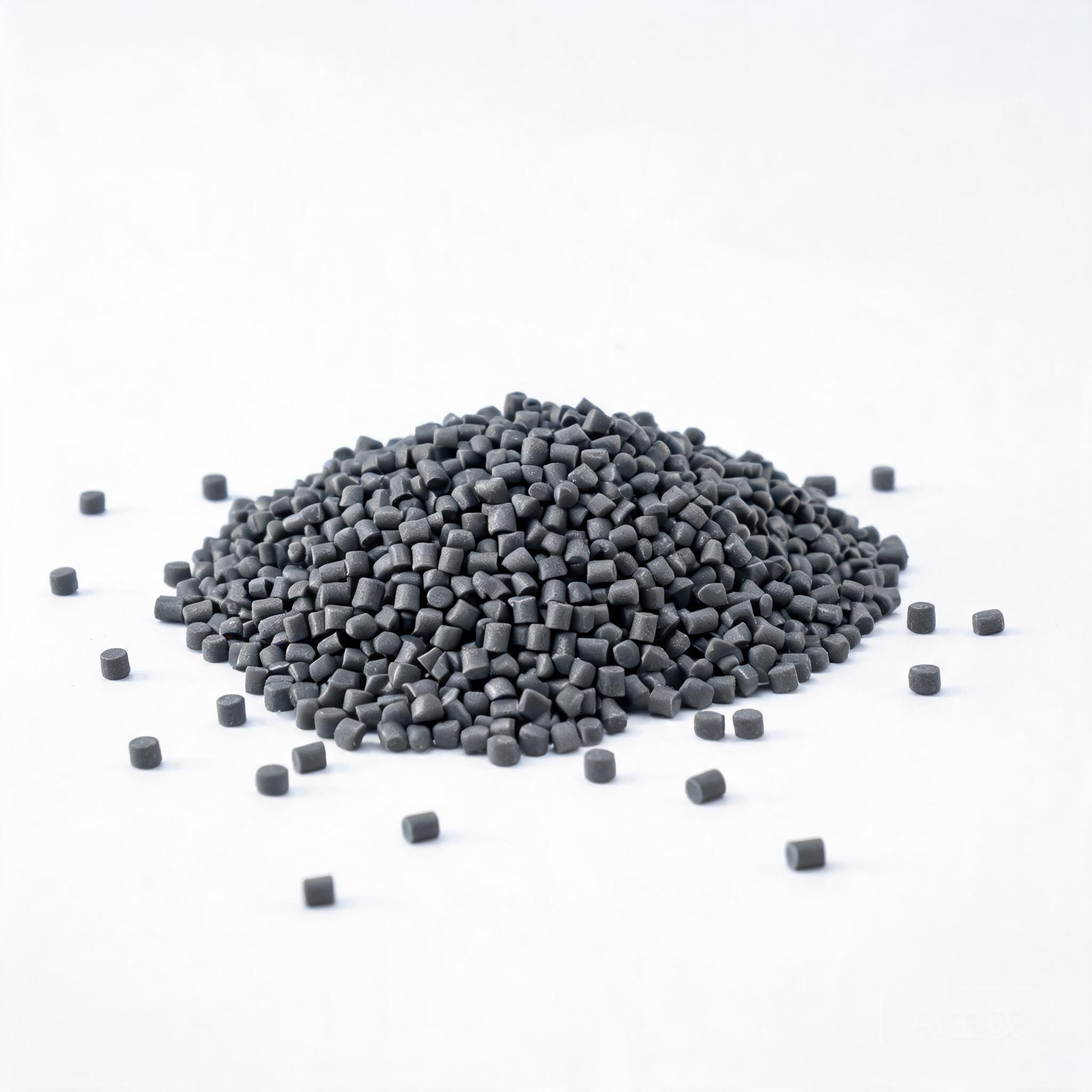
A practical engineering guide to ABS filament for B2B buyers and print service providers. Covers physical properties, extrusion and bed temperature ranges, print settings, post-processing, quality control, and supplier evaluation criteria — written for procurement and engineering teams who need specifications, not marketing language.
BUYER & ENGINEERING GUIDE
ABS (Acrylonitrile Butadiene Styrene) remains one of the most widely specified thermoplastics in fused deposition modeling (FDM) and fused filament fabrication (FFF). For B2B buyers — whether you run a print farm, offer prototyping services, or procure parts for end-use applications — understanding the real material properties and process parameters of ABS filament is not optional. It directly affects part strength, dimensional accuracy, surface finish, yield rates, and ultimately your cost per part.
This guide covers the physical characteristics of ABS filament, recommended extrusion and bed temperatures, full print settings, common failure modes, and what to verify when evaluating an ABS filament supplier. The values given are industry-standard starting points; always confirm with your specific filament supplier, as formulations vary by manufacturer.
- ABS requires a heated bed (typically 90–110 °C) and an enclosed or stable chamber to minimize warping and delamination.
- Extrusion temperature for standard ABS filament is generally 230–250 °C; the exact value depends on the specific formulation and nozzle diameter.
- ABS offers better impact resistance, heat resistance, and machinability than PLA, but it is more prone to shrinkage and emits fumes during printing.
- When sourcing, verify batch-to-batch consistency, diameter tolerance (±0.03 mm or better), and moisture content — not just the listed "ABS" label.
- Always request a technical datasheet (TDS) and a material safety datasheet (MSDS) from your supplier before committing to volume orders.
1. ABS Filament Properties: What Engineers Actually Need to Know
ABS is an amorphous thermoplastic copolymer. In 3D printing, it is valued for a combination of properties that PLA and PETG do not fully match. The table below summarizes the key physical characteristics that matter in part design and production planning.
| Property | Typical Value (ABS) | Why It Matters for Printing |
|---|---|---|
| Glass transition temperature (Tg) | ~105 °C | Parts soften and lose load-bearing capacity above this. Affects max service temperature. |
| Heat deflection temperature (HDT @ 0.45 MPa) | ~90–98 °C | Determines suitability for automotive or electronic enclosures near heat sources. |
| Tensile strength (printed, XY orientation) | ~30–45 MPa (varies by layer adhesion) | Lower than injection-molded ABS (~40–50 MPa). Layer orientation is critical. |
| Impact strength (Izod, notched) | ~10–20 kJ/m² (printed parts lower) | ABS's key advantage over PLA. Relevant for functional prototypes and snap-fit parts. |
| Elongation at break | ~10–20% (printed, varies) | Indicates ductility. Higher is better for parts under repeated stress. |
| Density | ~1.03–1.05 g/cm³ | Lightweight. Relevant for weight-sensitive applications. |
| Shrinkage / warpage | ~0.4–0.8% (linear) | Higher than PLA. The main cause of warping and layer delamination. |
| Moisture absorption | ~0.2–0.4% (24h immersion) | Absorbs humidity. Wet filament causes bubbles, poor surface finish, and brittleness. |
Compared to PLA, ABS offers significantly better impact resistance and a higher service temperature. Compared to PETG, ABS is generally easier to sand, machine, and solvent-weld (with acetone), which is why it remains popular for functional prototypes, jigs, fixtures, and low-volume end-use parts.
1.1 Layer Adhesion and Anisotropy
FDM parts are inherently anisotropic. The bond between layers is weaker than the material within a layer. For ABS, this is particularly important because the polymer's shrinkage creates internal stress at each layer interface. If the ambient temperature is too low or the cooling is too aggressive, the part can crack or split along layer lines.
In practice, this means that the Z-axis tensile strength of a printed ABS part is often only 50–70% of the XY strength. If your application requires strength in all directions, consider this during design, or specify a different process (e.g., injection molding for high-volume parts).
2. ABS Filament Temperature: Extrusion and Bed Settings
Temperature is the single most important variable in ABS printing. The "abs printing temperature" and "abs bed temperature" are not universal constants — they depend on the filament brand, color (pigments affect melt flow), nozzle size, and print speed. However, the following ranges cover the vast majority of standard ABS formulations.
2.1 Extrusion Temperature (Nozzle)
| Parameter | Recommended Range | Notes |
|---|---|---|
| Nozzle temperature (standard ABS) | 230–250 °C | Start at 240 °C for a 0.4 mm nozzle. Adjust ±5 °C based on layer adhesion and surface quality. |
| Nozzle temperature (ABS+ / high-flow) | 240–260 °C | Some modified ABS blends (with added copolymers) require higher temperatures for optimal interlayer bonding. |
| First layer temperature | +5 to +10 °C above normal | Improves bed adhesion and reduces the chance of the first layer peeling off. |
| Nozzle size effect | Larger nozzles (0.6–1.0 mm) may need +5–10 °C | Higher volumetric flow requires more heat input to maintain melt temperature. |
If the extrusion temperature is too low, you will see poor layer adhesion, under-extrusion, and a rough surface. If it is too high, you risk thermal degradation (the polymer turns yellow or brown), stringing, and oozing. A simple test: print a small cube at 230, 240, and 250 °C, and compare the surface finish and the force required to break the part along the layer lines.
2.2 ABS Bed Temperature
The heated bed is not optional for ABS. Without it, the bottom layers cool too quickly, contract, and pull the part off the build plate. The "abs bed temperature" range is narrower than the nozzle range and is critical for first-layer adhesion.
| Parameter | Recommended Range | Notes |
|---|---|---|
| Bed temperature (standard ABS) | 90–110 °C | 100 °C is a good starting point for most printers. |
| Bed temperature (ABS on glass) | 100–110 °C | Glass needs higher bed temps. Use a thin layer of PVA glue stick or ABS slurry (ABS dissolved in acetone) as an adhesion aid. |
| Bed temperature (ABS on PEI / spring steel) | 90–100 °C | PEI sheets offer strong adhesion at slightly lower temperatures. |
| Chamber temperature | 40–60 °C (if enclosure is available) | An enclosed chamber is the single best way to reduce warping. It keeps the ambient air warm and slows cooling. |
A common misconception is that a higher bed temperature always improves adhesion. Above 110 °C, the first layer may stay too soft, causing "elephant's foot" (the bottom layers bulge outward). If you see this, reduce the bed temperature by 5 °C or increase the Z-offset slightly.
3. Full ABS Print Settings: A Starting Profile
The table below consolidates the recommended ABS print settings into a single profile. Use this as a baseline, then fine-tune for your specific printer and filament batch.
| Parameter | Recommended Value | Notes |
|---|---|---|
| Nozzle diameter | 0.4 mm (standard) | 0.6 mm for faster, stronger parts; 0.2 mm for fine detail. |
| Layer height | 0.16–0.20 mm | 0.20 mm for speed, 0.16 mm for smoother surfaces. Avoid going below 0.12 mm with a 0.4 mm nozzle. |
| Print speed | 40–60 mm/s | Slower speeds improve layer adhesion. For large parts, keep the outer wall speed at 30–40 mm/s. |
| First layer speed | 20–30 mm/s | Slow first layer is essential for adhesion. |
| Wall thickness | 3–4 perimeters (1.2–1.6 mm) | More walls improve strength and reduce the visibility of infill through the surface. |
| Infill density | 20–40% (functional parts) | For non-functional prototypes, 15–20% is sufficient. For load-bearing parts, use 50%+ or increase wall count instead. |
| Infill pattern | Gyroid or Cubic | These patterns distribute stress more evenly than grid or lines. |
| Cooling fan | 0–20% (usually OFF) | ABS should not be actively cooled. If your slicer forces fan control, set it to 0% for the first 3–5 layers, then max 20% only for bridges and overhangs. |
| Retraction distance (direct drive) | 0.5–1.5 mm | Start at 1.0 mm. Too much retraction can cause clogging with ABS. |
| Retraction distance (Bowden) | 4–7 mm | Bowden setups need more retraction. Tune to minimize stringing. |
| Retraction speed | 30–45 mm/s | Too fast can cause filament grinding; too slow causes stringing. |
| Z-hop | 0.4–0.6 mm when traveling | Prevents the nozzle from dragging through the part and causing layer shifts. |
3.1 Enclosure and Draft Control
ABS is highly sensitive to ambient temperature changes. A cold draft from an open window or an air conditioning vent is enough to cause warping on a large part. For B2B operations running multiple printers, an enclosed printer or a heated chamber is strongly recommended.
If your printer does not have an enclosure, you can improvise with a simple cardboard or acrylic enclosure around the printer frame. This is not a permanent solution, but it significantly improves first-layer adhesion and reduces warping for small to medium parts.
4. Common ABS Printing Problems and How to Fix Them
Even with the correct ABS filament temperature and bed settings, issues will arise. The table below lists the most common problems, their root causes, and practical fixes.
| Problem | Likely Cause | Solution |
|---|---|---|
| Warping / corners lifting | Bed temp too low, chamber too cold, or draft present | Increase bed temp to 100–110 °C. Enclose the printer. Use a brim (5–10 mm wide). |
| Layer delamination / splitting | Extrusion temp too low, or cooling fan on | Increase nozzle temp by 5–10 °C. Turn off the cooling fan. Slow down print speed. |
| Stringing / oozing | Retraction too low, or nozzle temp too high | Increase retraction distance/speed. Lower nozzle temp by 5 °C. |
| Poor first layer adhesion | Bed temp too low, or bed not level | Clean the bed with isopropyl alcohol. Re-level. Increase first layer temp and bed temp. |
| Bubbles / popping sounds | Wet filament (moisture in the polymer) | Dry the filament at 80–85 °C for 4–6 hours in a filament dryer. Store in a dry box with desiccant. |
| Elephant's foot (bulging bottom) | Bed temp too high, or Z-offset too low | Reduce bed temp by 5 °C. Increase Z-offset slightly. Use a chamfer on the bottom edge of the part. |
| Clogging / under-extrusion | Retraction too high, or nozzle temp too low | Reduce retraction distance. Increase nozzle temp. Check for a partial clog in the heat break. |
5. Post-Processing ABS Parts
One of the main reasons engineers choose ABS is its excellent post-processing characteristics. Unlike PLA, ABS can be smoothed, machined, and joined using well-established methods.
5.1 Acetone Vapor Smoothing
Acetone vapor smoothing is a well-known technique for ABS. It dissolves the outer surface of the part, eliminating layer lines and producing a glossy, injection-molded-like finish. It also slightly improves water resistance and surface strength.
Process note: This must be done in a well-ventilated area, away from ignition sources. The part is suspended in a sealed container with a small amount of acetone at the bottom. Vapor exposure time ranges from 5 to 30 minutes, depending on the desired finish. Over-exposure will deform fine details.
5.2 Sanding and Machining
ABS sands cleanly with 120 to 400 grit sandpaper. It can also be drilled, tapped, and machined with standard tools, which is a significant advantage for functional prototypes. When machining, use sharp tools and moderate speeds to avoid melting the polymer.
5.3 Solvent Welding and Adhesive Bonding
ABS parts can be joined with acetone or a solvent cement (e.g., a mixture of ABS scrap and acetone). This creates a strong, near-invisible weld line. For structural joints, consider using a two-part epoxy or a cyanoacrylate (super glue) designed for plastics.
6. What B2B Buyers Should Verify Before Ordering ABS Filament
For procurement and engineering teams, the "ABS filament properties" listed on a supplier's website are only the starting point. The quality of the filament you receive can vary significantly between batches and suppliers. Here is a practical checklist to use when evaluating a supplier.
6.1 Diameter Tolerance and Roundness
Filament diameter directly affects extrusion consistency. A nominal 1.75 mm filament that varies between 1.70 and 1.80 mm will cause under- and over-extrusion, leading to poor surface quality and dimensional inaccuracy. The industry standard for good quality is ±0.03 mm or better. Ask the supplier for their diameter tolerance and their QA process (e.g., in-line laser measurement).
6.2 Moisture Content and Packaging
ABS absorbs moisture from the air. Wet filament prints poorly — it produces bubbles, steam, and brittle parts. A good supplier ships filament in a vacuum-sealed bag with a desiccant sachet. When you receive a spool, check that the vacuum seal is intact. If it is not, dry the filament before use.
6.3 Batch Consistency
Color pigments and additives can change the melt flow of ABS. A spool of black ABS may print at a slightly different temperature than a spool of white ABS from the same brand. For production runs, ask the supplier whether they can guarantee batch-to-batch consistency, and request a sample from the actual batch you plan to order.
6.4 Technical Datasheet (TDS) and Material Safety Datasheet (MSDS)
Any serious ABS filament supplier should be able to provide a TDS (listing the physical and mechanical properties of the filament) and an MSDS (covering handling, storage, and safety). If a supplier cannot provide these documents, treat it as a red flag. These documents are also essential if you are exporting parts to regulated industries (automotive, electronics, medical) where material traceability is required.
6.5 Spool Weight and Winding Quality
Check the actual net weight of the spool (e.g., 1.0 kg vs. 0.8 kg). Poorly wound filament causes tangles and print failures. A reputable supplier uses consistent winding tension and a clean spool that does not shed plastic dust into the extruder.
7. ABS vs. Alternative Materials: A Quick Comparison for Sourcing
When evaluating whether ABS is the right material for your project, it helps to compare it against the other two most common FDM materials: PLA and PETG.
| Criteria | ABS | PLA | PETG |
|---|---|---|---|
| Impact resistance | High | Low (brittle) | Medium-High |
| Heat resistance (HDT) | ~90–98 °C | ~50–60 °C | ~70–80 °C |
| Ease of printing | Moderate (needs heated bed + enclosure) | Easy | Easy-Moderate |
| Warping tendency | High | Low | Low-Medium |
| Surface finish after post-processing | Excellent (acetone smoothing) | Good (sanding) | Good (sanding, harder) |
| Chemical resistance | Good (resistant to acids, oils) | Poor (degrades in some solvents) | Good (resistant to many chemicals) |
| Fumes during printing | Yes (styrene odor) | Mild (sweet smell) | Mild |
| Typical application | Functional prototypes, jigs, automotive, enclosures | Visual prototypes, models | Functional parts, containers, outdoor |
If your parts will be exposed to heat above 80 °C, ABS is a better choice than PLA or PETG. If impact resistance is the primary requirement, ABS is the standard choice. If you need chemical resistance and easier printing, PETG may be a better fit.
8. Safety and Ventilation in Production Environments
ABS emits fumes during printing, primarily styrene and other volatile organic compounds (VOCs). While the levels are generally below occupational exposure limits for a single printer, a print farm with multiple machines can create a noticeable concentration. For B2B operations, consider the following:
- Ventilation: Ensure the printing area has adequate ventilation. A dedicated exhaust system or a HEPA + activated carbon air filter is recommended.
- Enclosure: An enclosed printer not only improves print quality but also contains the fumes. Consider a printer with a built-in filtration system.
- Operator safety: Provide gloves and safety glasses when handling ABS parts and acetone during post-processing. Acetone is flammable and should be stored in a fire-safe cabinet.
- MSDS compliance: Keep the MSDS for your ABS filament on file and make it available to your team. This is a basic compliance requirement in most jurisdictions.
9. Sourcing Strategy: Samples, Testing, and Scale-Up
For B2B buyers, the cost of a filament spool is small compared to the cost of a failed production run. Before committing to a large order, follow this three-step sourcing strategy.
Step 1: Request Samples (2–3 Spools)
Ask the supplier for samples from the same batch. Test them on your own printers using your standard ABS print settings. Measure the diameter at 10 points along the spool. Print a test part that includes sharp corners, a flat base, and thin walls.
Step 2: Verify Mechanical Properties
If you are using ABS for functional parts, conduct a simple tensile test or a flexural test on printed specimens. Compare the results with the supplier's TDS. If the printed parts are significantly weaker than the datasheet values, the filament may be old, wet, or of lower quality.
Step 3: Negotiate Volume Terms
Once you have verified the quality, discuss volume pricing, lead times, and batch traceability. Ask the supplier if they can provide a certificate of analysis (CoA) for each batch. This is particularly important if you are supplying parts to a regulated industry.
10. Frequently Asked Questions (FAQ)
Q1: What is the ideal ABS filament temperature for a 0.4 mm nozzle?
Start at 240 °C. If you see poor layer adhesion, increase to 245–250 °C. If you see stringing or yellowing, decrease to 230–235 °C.
Q2: Can I print ABS without a heated bed?
No. ABS requires a heated bed (90–110 °C) to prevent warping and ensure first-layer adhesion. Attempting to print ABS on a cold bed will almost certainly result in the part lifting off the build plate.
Q3: Why does my ABS print smell bad?
ABS contains styrene, which has a characteristic odor when heated. This is normal. Ensure proper ventilation. Some "ABS+" or "ABS-like" blends (e.g., ABS with added copolymers) have a lower odor.
Q4: How do I dry ABS filament?
Dry ABS at 80–85 °C for 4–6 hours in a filament dryer or a convection oven (if the oven can hold a stable low temperature). Store the filament in a dry box with silica gel desiccant after drying.
Q5: Is ABS recyclable?
Yes, ABS is a thermoplastic and can be recycled. However, recycled ABS may have degraded mechanical properties. For critical parts, use virgin ABS. For non-critical parts (e.g., packaging, spacers), recycled ABS is a cost-effective option.
Q6: What is the difference between ABS and ABS+?
"ABS+" is a marketing term used by some manufacturers to describe a modified ABS blend. These blends often have reduced warping, lower odor, or improved layer adhesion. The print settings are usually slightly different — check the supplier's TDS for the recommended temperature range.
11. Conclusion and Next Steps
ABS remains a reliable, versatile, and cost-effective material for functional 3D printing. Its success depends on respecting its process requirements: a heated bed, a stable thermal environment, and the correct extrusion temperature. For B2B buyers, the material properties are only half the story — the other half is the quality and consistency of the filament itself.
When sourcing ABS filament for your operations, prioritize suppliers who can provide detailed technical datasheets, tight diameter tolerances, and consistent batch quality. Do not rely solely on the "ABS" label; verify the actual performance on your own machines before scaling up.
If you are evaluating ABS filament suppliers or need assistance selecting the right material for a specific application, our team can provide samples and technical documentation. Contact us with your requirements, and we will help you find a solution that meets your production needs.